
How to get data from PDFs into your system without retyping: OCR, templates or AI?
Author
Patrik Sabol
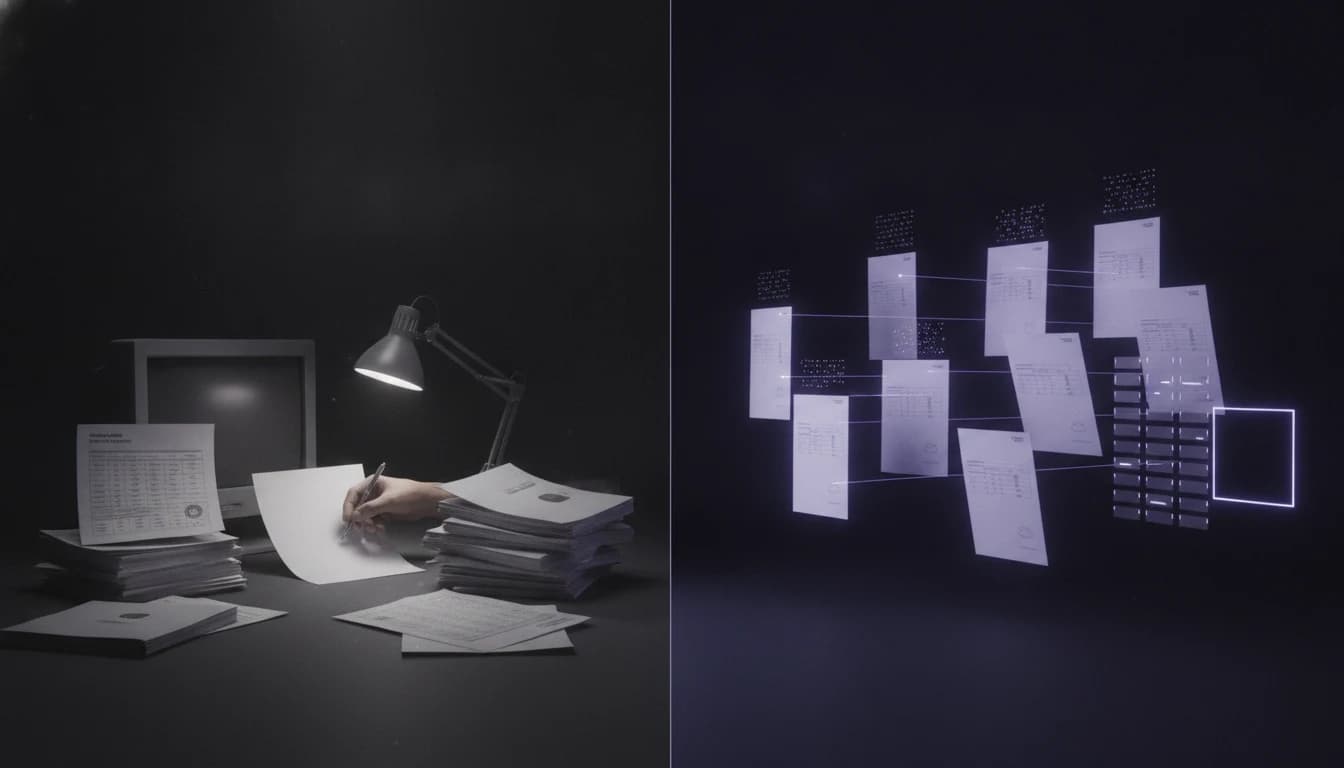
If you want to get data from PDFs into your system without retyping it, there are three routes: OCR, which turns an image into text; templates, which pick fields from known positions in that text; and AI, which reads the document for meaning. Which one is right is not decided by the technology but by your documents — how many types, from how many partners, and in what condition.
The short answer: a handful of document types in a fixed layout are handled cheaply and reliably by templates. When contracts, delivery notes, CMRs, certificates and spreadsheets arrive from dozens of partners, each in its own format, templates become unmaintainable and document data extraction makes sense with AI — wrapped in checks, with a person handling the unclear cases. Either way, accuracy is measured on your own sample, not on a demo.
What companies still retype today
Invoices are the best-known case, and we gave them an article of their own. But most manual document retyping happens elsewhere — and that is where automated document processing tends to pay off most:
- contracts and amendments — counterparty, effective date, notice period, prices,
- delivery notes and CMRs — sender, consignee, items, weights, signatures,
- material certificates — batch, standard, measured values, validity,
- order forms, applications and timesheets,
- spreadsheets and reports from partners — each with its own columns and naming.
What they share is that the data exists, just not in a shape your system will accept. So someone reads it and copies it over, field by field.
Three ways to get data from PDFs into your system: OCR, templates, AI
OCR (optical character recognition) is what most people picture when they hear “PDF data extraction”: it turns a scan into text. Nothing more. It does not know that “Effective date” is a different thing from “Date signed”, or that a table continues on the next page. It is a necessary step for scans, but on its own it writes nothing into your system.
Templates on top of OCR say “the contract number is top right, the amount is in the third column”. For documents coming out of one system in the same layout every time, this is the cheapest and a very reliable option. But every new partner or layout change means a new template — and a template that no longer fits often does not fail loudly; it quietly extracts the wrong field.
AI (multimodal language models) reads the document as a whole and finds data by meaning. You do not have to say where the notice period is, only that you want it. That is why it copes with a partner you have never seen before. The weakness: a model always answers, even when it is unsure. Without checks around it, it must not write straight into your system.
| OCR | Templates on OCR | AI with checks | |
|---|---|---|---|
| New partner or layout | — | new template | usually no set-up |
| Understands context | no | no | yes |
| Table spanning pages | no | with difficulty | yes, if the document is processed as a whole |
| Maintenance | low | grows with every template | accuracy tracking and field definitions |
| Enough when | as a step for scans | a few fixed formats | many types and partners |
Which documents are easy and which are hard

Accuracy differs less between tools than between documents. In practice it looks like this:
Easy: PDFs generated straight from a system (a text layer, no scanning), single-page forms, spreadsheets with clear headers. Field-level accuracy is typically very high with any sensible approach.
Moderate: good scans of printed documents, contracts with long free text where you need the one sentence about the notice period, spreadsheets where a partner adds a column now and then.
Hard:
- tables spanning several pages — header on page one, rows on page three, subtotals in between,
- handwriting — hand-filled forms and CMRs; a printed document with a handwritten note is fine, fully handwritten ones are borderline,
- poor scans and photos — skewed, shadowed, a stamp across the text, a fax from 2009,
- several documents in one PDF — twenty delivery notes scanned into a single file that first has to be split.
With hard documents the goal is not 100% accuracy. It is a system that can say “I am not sure about this one” and send it to a person.
Accuracy: how to measure it on your own sample
“Our solution is 98% accurate” means nothing without context. Measure it like this:
- Take 100–200 real documents from recent months, in the proportions they actually arrive — poor scans included.
- Prepare the correct answers. A person fills in the fields you want extracted for each document. It is an hour or two of work per few dozen documents, and without it no claim can be made.
- Measure per field, not per document. A document with 15 fields and one wrong counts as “93% correct” in the statistics, but in your system it is wrong.
- Track critical fields separately. A wrong batch number is worse than a wrong note.
- Compare with manual retyping. People make mistakes too. The goal is to be more accurate and faster than today, not perfect.
In the end the key is not one accuracy figure but two: the share of documents that go through untouched, and the number of errors that slipped past every check — the second should be as close to zero as possible. You then rerun the same sample after every change, as with any AI project that is meant to reach production.
Human review: where and how

A solution that writes whatever it reads saves you the retyping and adds error-hunting instead. That is why checks sit in front of every write:
- format — the company ID has the right shape, the date exists, the batch number matches its pattern,
- content — totals add up, the weight on the CMR matches the delivery note,
- against the system — this customer, order or material exists in your ERP or CRM,
- confidence threshold — any field the model is unsure about goes to review.
A document that fails lands in a queue where a person sees the original and the extracted data side by side and corrects them with one click. With varied documents it is realistic for 15–30% of cases to go to review. That is not a failure — it is the reason the system can be trusted.
When an existing tool is enough
To be honest, you do not always need a custom solution:
- You have a few dozen documents a month. Retyping takes a few hours a month and the project will not pay back.
- Everything comes in one or two fixed templates. OCR with templates or an off-the-shelf document capture service will do it for less.
- The partner can send the data directly — an export, EDI, an API. Then do not read the document at all; agree on a format.
- It is only invoices and your accounting software has invoice capture built in. Try that first.
A custom solution makes sense when there are hundreds of documents a month, in many types and layouts, and the data needs checking against your own systems. We describe how we approach it on the page document data extraction.
What it costs
Indicatively, excluding VAT, for a small or medium company: analysis of document types and a sample €900–1,800, a pilot on real documents €3,500–6,500, production rollout connected to your ERP or CRM €6,000–14,000, operations from €290 a month plus model usage (single to low double digits of euros at hundreds of documents a month). At a typical volume of hundreds of documents a month we plan for payback within about a year. The wider budget picture is in how much an AI solution costs.
Summary
- OCR is a step for scans, not a solution.
- Templates work for a few fixed formats; with dozens of partners they cannot be maintained.
- AI reads for meaning and copes with new layouts, but needs checks and a confidence threshold.
- The hard cases are multi-page tables, handwriting and poor scans — there the goal is to admit uncertainty, not guess.
- Measure accuracy per field on your own sample and compare it with manual retyping.
- With low volume or a fixed format, an existing tool is enough.
What could be automated in your company? Tell us which documents get retyped today and how many there are a month — in a short meeting we will tell you which route makes sense, even if it turns out to be a tool you already have.
What could you automate?
You do not need to know whether you need an AI agent, automation or a systems integration. Describe the process that slows you down the most — we will tell you what can be automated and whether it pays off.
Talk to us — and if AI would not pay off in your case, we will tell you straight.
Talk to us about your process