
Distributionexample use case
Email automation: a shared inbox that sorts itself
Shared inboxes take in hundreds of messages a day — orders, claims, invoices, questions, offers and spam side by side. Someone reads, sorts, forwards and retypes them. AI takes that work over: it sorts the emails, routes them to the right people, sends the data to your systems and drafts replies. People deal only with what genuinely needs a person.

Sound familiar?
- Dozens to hundreds of messages arrive every day in info@, orders@, claims@ or invoices@, and someone has to read all of them.
- Half the emails land in the wrong inbox — they get forwarded on, and every forward costs time.
- Order, invoice and claim numbers are retyped from emails and attachments into the ERP, CRM or a spreadsheet.
- An urgent claim or a complaint from a major customer sits under newsletters and automated notifications until someone spots it.
How it works
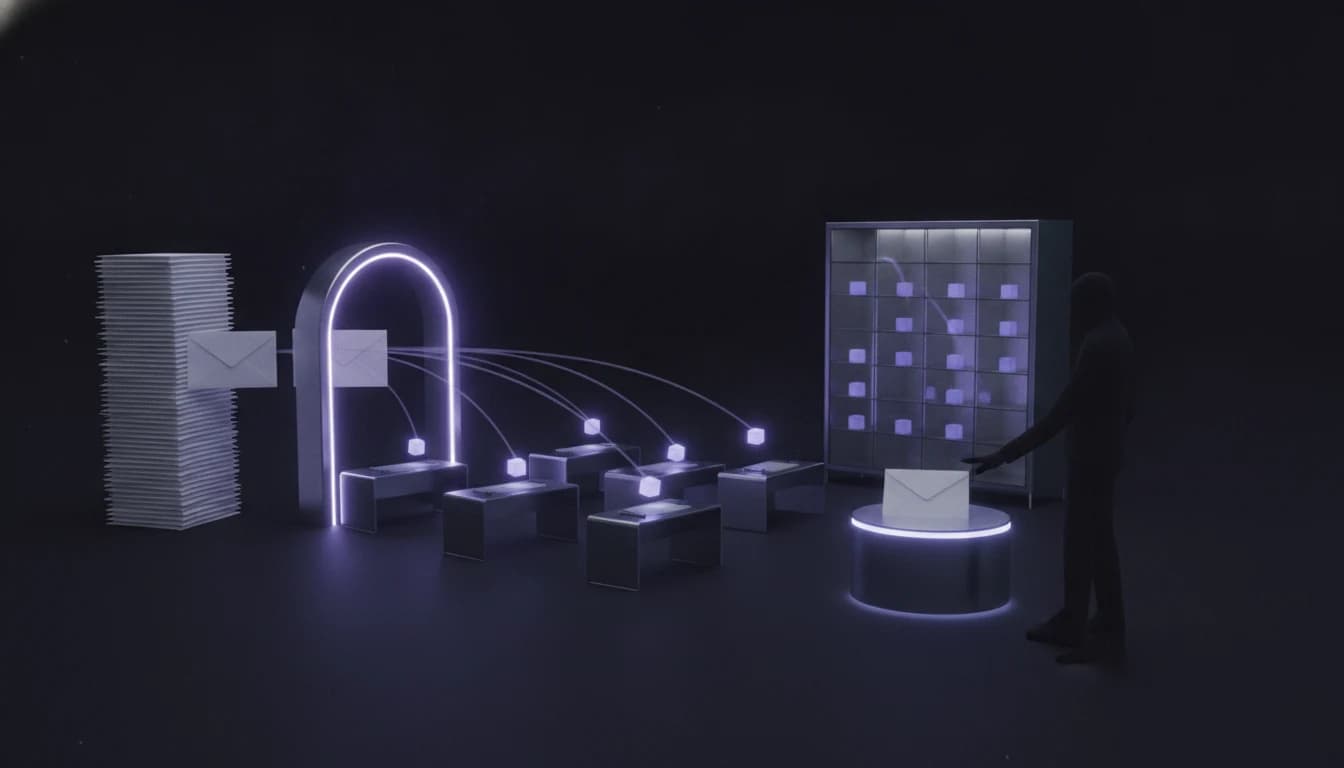
1. Sorts every email
From the body and attachments it works out what the message is — order, claim, invoice, enquiry, question, spam — and how urgent it is. The categories are yours, not generic ones.
2. Routes it to the right person
Based on type, customer and the rules only you know, it labels the message and moves it to a department or a named person. Urgent items go to the top of the queue.
3. Extracts data into your system
Order, invoice, claim or customer numbers and amounts are pulled from the email and its attachments and written into the ERP, CRM, helpdesk or spreadsheet — instead of being retyped.
4. Drafts a reply
For routine questions and confirmations it drafts a reply in your tone. A person sends, edits or discards it. Anything it cannot classify is set aside for manual review.
What the system handles
- Microsoft 365 / Outlook, Exchange, Google Workspace / Gmail and standard IMAP mailboxes — shared and personal.
- Attachments: PDF, Excel, Word, images and scans; emails in Slovak, Czech, English, German or Hungarian.
- Writing to your ERP, CRM, helpdesk or spreadsheet — typically Pohoda, Money, Helios, Pipedrive, Freshdesk or SharePoint — via API, database or MCP.
- It feeds the specialised cases: orders all the way into the ERP and replies to customers in support are separate add-ons.
- Reporting: what arrives and how much, what waits longest, which requests keep repeating.
Human oversight and safety
- Starts in “propose, a person decides” mode: you see the sorting and the draft replies before anything goes out.
- Automatic email replies are not the default. It can be enabled only for selected simple message types once the system shows stable accuracy on the test set.
- Sensitive messages — claims, legal matters, payments, personal data — always go to a person, regardless of confidence.
- Every decision is logged: you see why a message ended up in its category and who received it.
What result is realistic
~80%
of emails sorted and routed without a human
For a typical company with one to several hundred messages a day in shared inboxes, we plan for roughly 80% of emails being sorted and routed without a human. If one person spends two hours a day on the inbox today, that is around 40 hours a month — plus the hours of retyping data, and a shorter wait before an urgent message reaches whoever should handle it.
The figures are indicative for typical volumes. We give a precise estimate for your company after analysing the process.
Indicative scope
- Inbox analysis and email sample
- €900 – €1,800
- Pilot on your real emails (2–4 weeks)
- €3,500 – €7,000
- Production rollout connected to your systems
- €5,000 – €12,000
- Operations, monitoring and evaluations
- from €390 / month
Prices are indicative and exclude VAT. We give an exact figure only after analysing your process — not off the cuff on the first call.
Frequently asked questions
Aren’t Outlook or Gmail rules enough?
If you can tell messages apart by sender or subject, yes — and in that case we will tell you so. Rules stop being enough when the content decides the type: a claim written without the word “claim”, an order hidden in an attachment, an invoice from a new address.
How is this different from customer support or order automation?
This page is about the whole inbox: sorting everything that arrives and sending it to the right people and systems. Customer support automation is about replying to customers’ questions; order automation takes an order all the way into the ERP. We often start with sorting and build the specialised cases on top.
Will the AI reply to customers on its own?
Not by default. It drafts, a person sends. For simple types, such as acknowledging receipt of an invoice, automatic sending can be enabled after the pilot — based on measured accuracy, not on gut feeling.
Where does email content go? What about GDPR?
Emails contain personal data, so processing runs in EU regions of providers with a contractual ban on training on your data, or on a smaller model on your premises. The system can access only the mailboxes you specify and stores no more than it needs.
Do we have to change our email system?
No. We connect to what you use — Microsoft 365, Google Workspace or IMAP. People keep working in their Outlook or Gmail; they just find the messages already sorted.
Related service
AI agents & automation
We build this solution as part of our service „AI agents & process automation“.
An agent that processes emails, orders and invoices instead of your teamRead more
- How to automate a shared company inbox: rules, a helpdesk, Make or AI?Email automation for a shared inbox: when Outlook or Gmail rules are enough, when a helpdesk or Make will do, when you need AI sorting. Risks, GDPR and costs.
- How to automate order processing from email: rules, Make or an AI agent?Orders arrive by email as text, PDFs and spreadsheets, and someone retypes them into the ERP every day. Three ways to automate it, where each one breaks — and what you need ready before you start.
- Automated invoice processing: OCR, RPA or AI? What to choose and whyThree technologies that get mixed up when companies talk about extracting data from invoices and delivery notes. What each one actually does, where it breaks, what a process that keeps errors out of the books looks like, and what it costs.
More solutions
 Wholesale
Automating email orders into your ERP with AI
~70% · of orders handled without a human Accounting
Automated invoice and delivery note processing with AI
< 3 months · typical payback period E-commerce
AI customer support automation — without the risk of AI sending nonsense
~40% · shorter first-response timeIf you can say how many messages a day arrive in your shared inboxes and who sorts them today, we have a number to start from.
You do not need to know whether you need AI, automation or a new system. Show us the process that slows you down — we will tell you what can be automated and whether it pays off.